The stuff you always need and can never find
Most of the information you need in a normal week has nothing to do with work. It's the warranty for the washing machine, the booking reference for a hotel, the date the car insurance renews, the dentist's phone number, the letter from school about the trip. Each one takes ten seconds to use and ten minutes to find, because it lives in an email, a photo, a drawer, or someone else's head.
ReticulOS is good at exactly this kind of thing. You throw it in once, and later you either search for it or just ask.
A collection for each part of life
Start with a handful of collections. Home is always there; add whatever else fits your life. Travel, Car, Health and School are good starting points.
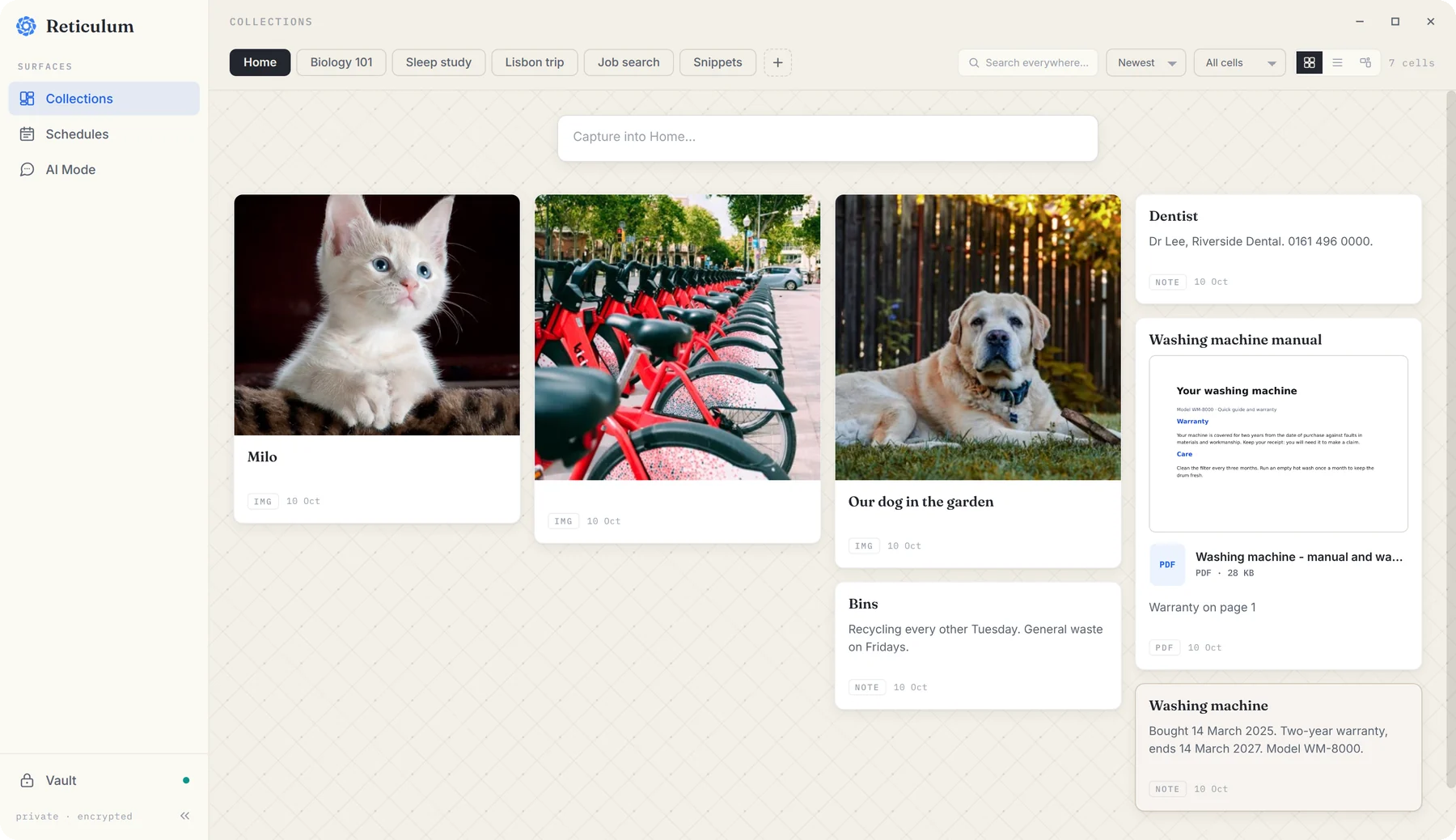
Anything you save lands in whichever collection is showing, so you don't have to decide where things go in the moment. If something ends up in the wrong place, Move to… on its card in the widget puts it right. In Reticulum, the full workspace, you can also give cards a colour, so receipts, manuals and bookings stand apart at a glance.
Throw it in
The trick is to save things the moment you have them, while it's easy.
- Receipts and letters. Snap a photo and add it from the + menu with Add Images, or grab what's on screen with CtrlShift4. Pictures are understood by what's in them, so “the receipt for the sofa” can find a photo with no title at all.
- Manuals and policies. Add the PDF with Add PDFs. With Pro, every page is read, so you can ask “am I covered when I drive abroad?” and be pointed to the page that says so.
- Bookings. Paste the confirmation email's text into the widget, or save the link. One note per booking is plenty.
- Little numbers. The bin days, the boiler's model number, the dentist. One line each. These are the notes you'll be most grateful for.
Find it again, two ways
Search, from anywhere. Press CtrlShift/ in any app and a search box appears on top of whatever you're doing. It looks through every collection at once and highlights the match.
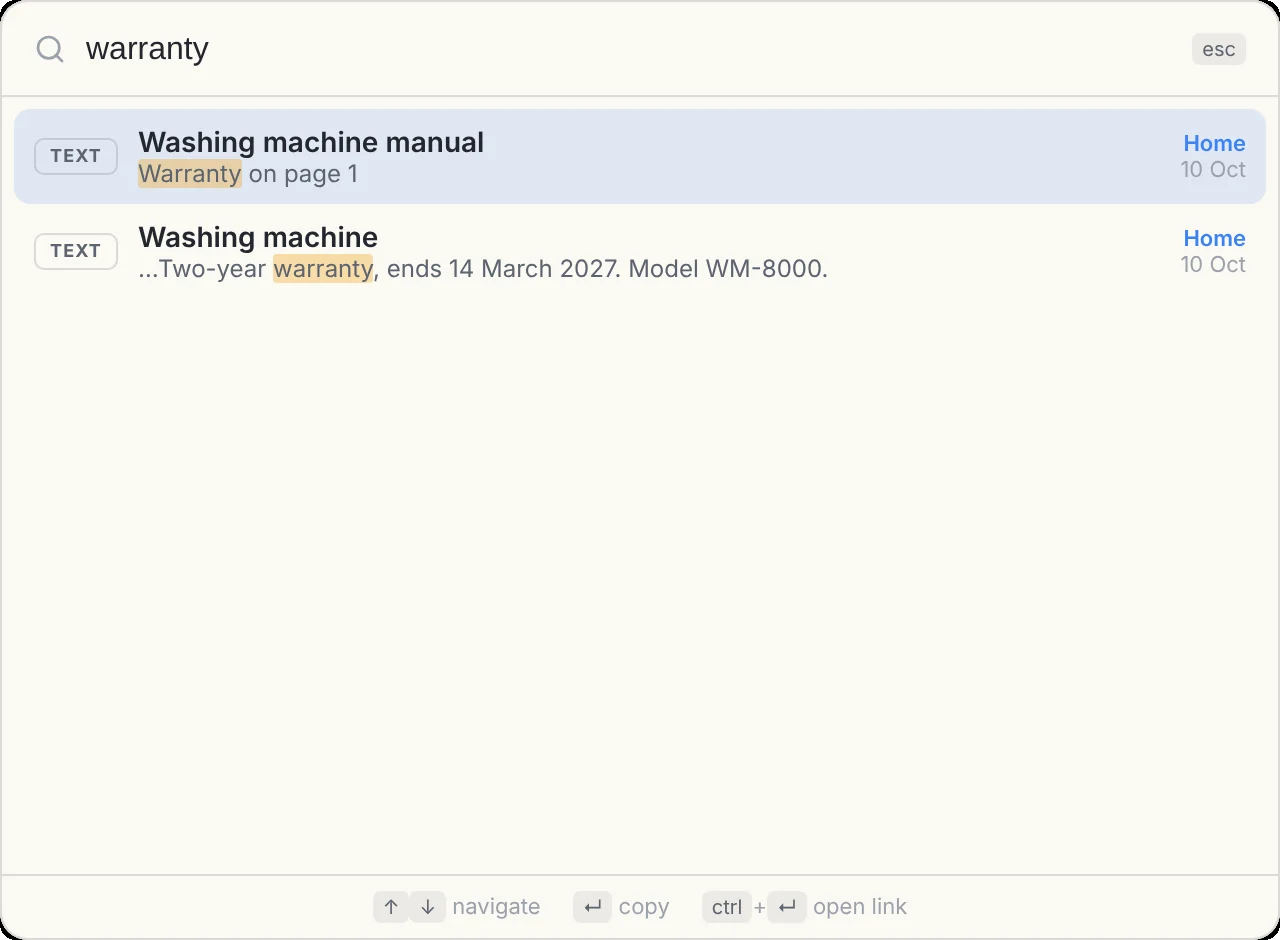
Press Enter on a result to copy it, which is often all you wanted in the first place.
Or ask. Press CtrlShiftSpace to switch the widget to Ret and ask the way you'd ask a person: “When does the washing machine warranty end?” Ret finds the notes that answer it and replies with small numbered citations, so you can click through to the note and check.
Errands in the day book
Anything with a date belongs in the day book: open Reticulum and choose Schedules. Put the errand on its day as a to-do, like renewing a passport or paying a bill.
The part that makes the day book worth using is what happens when you don't get to something. Unticked to-dos from recent days appear on today, under Carried forward, until you either do them or bring them into today with a click. Things that would otherwise quietly slip a month stay in front of you.
Passwords in the vault
Some things shouldn't sit in an ordinary note: the Wi-Fi password, the streaming login, the code for the gym locker. Those go in the vault, a separate, locked part of ReticulOS with its own password.
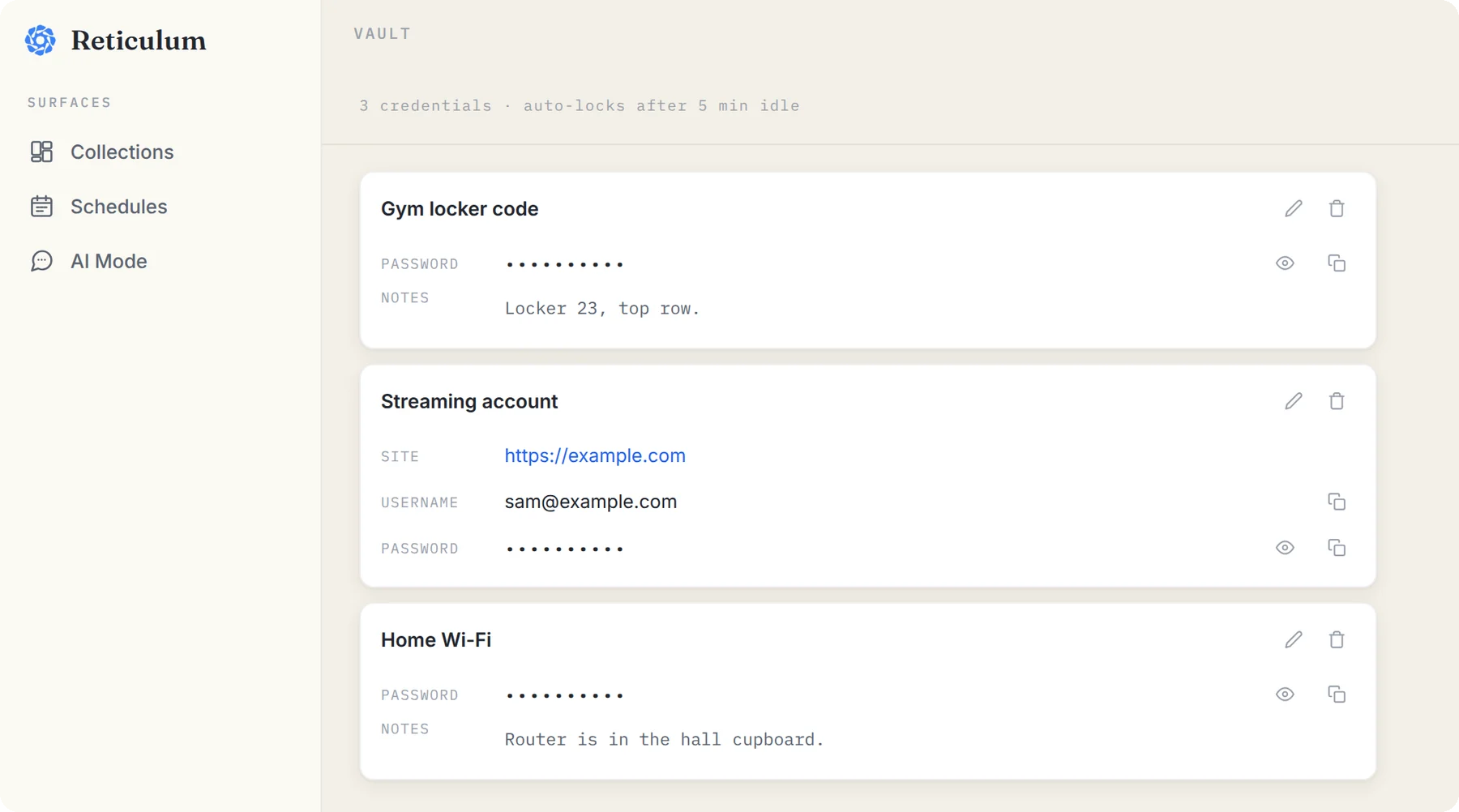
The vault locks itself after five minutes, and anything you copy from it clears from your clipboard after 45 seconds. It's never searched, and Ret can't see it. More in the vault, explained.
Start small
You don't have to move your whole life in. Next time you go hunting for a booking reference or a warranty, save it into ReticulOS once you've found it. The second time you need it, it'll take two seconds.
Questions
- Do I need to be technical to use it?
- No. Save something with one shortcut, or type it into the widget. Everything else is optional.
