The command you ran six months ago
Every developer has a private graveyard of useful things: the one-liner that fixed the Postgres connection leak, the flag that made the build reproducible, the stack trace you finally understood at 1am, the doc page you found after an hour of searching. Some of it lives in shell history, some in a text file called notes.txt, some in a Slack message to yourself. All of it is gone the next time you need it.
ReticulOS sits above your editor and terminal and gives that stuff a home you can reach without leaving what you're doing. It isn't a clipboard manager that remembers everything you copy (here's the difference), and it isn't a Markdown vault for long writing (compared with Obsidian). It's the place for the things you chose to keep.
Capture without context switching
The whole point is that saving costs nothing.
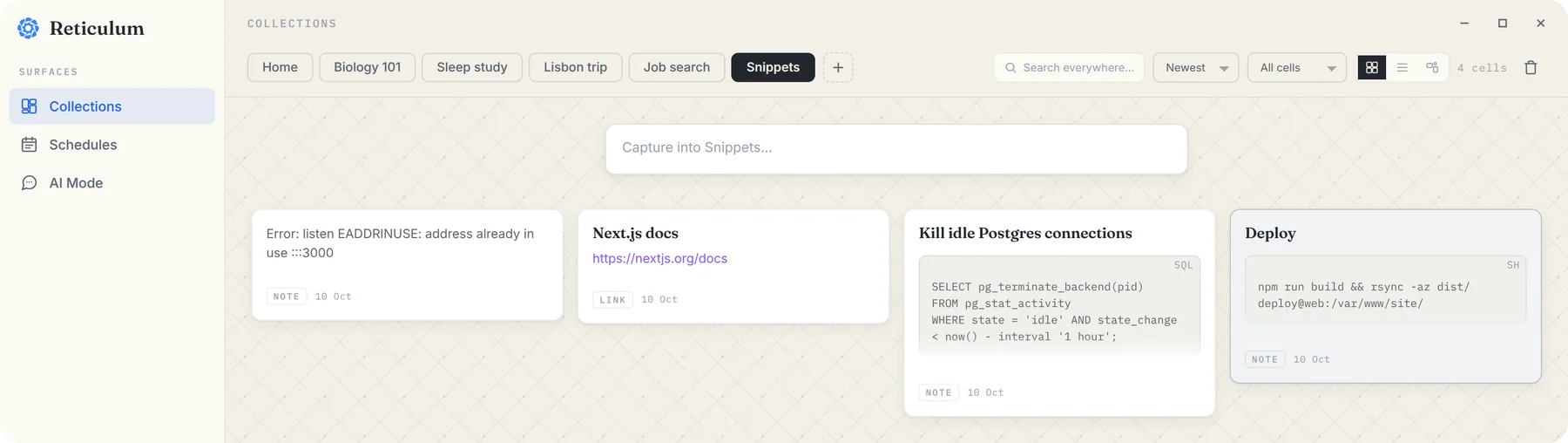
- Commands and output. Select a command in your terminal and press CtrlShift=. It's saved into the open collection, and your clipboard is untouched, so the thing you were about to paste is still there.
- Errors you can't select. Some dialogs and stack traces don't let you select text. Press CtrlShift4 and drag a box around it instead. It's saved as a picture, and pictures are understood by what's in them, so you can find it later by describing it.
- Links. Paste a URL into the widget and save it with CtrlEnter. It becomes a link card that opens in your browser.
One collection per project works well: commands, API notes, decisions and links for that codebase, together.
Real code blocks
Notes are stored as Markdown, and the editor understands code properly. Type ```sh followed by a space at the start of a line and you get a fenced code block with a language label. Tables and callouts work too, which is handy for runbooks and “gotchas” lists.
If you want the whole syntax, there's a walkthrough of RetMD, the Markdown variant ReticulOS stores notes in.
Find it in a keystroke
Press CtrlShift/ from any app and a search box appears on top of your editor. It searches the titles and text of every collection at once, highlights the match, and Enter copies the result. It's fast enough that it becomes muscle memory, which is the only way a snippet tool ever gets used.
Let your coding AI read it too
If you use Claude Code, Cursor, Codex or Claude Desktop, you can connect them to ReticulOS over MCP, the open standard these tools use to call outside tools. Once connected, your AI can search your notes, read them in full, and tell you where it found things, so “how did we deploy this last time?” gets answered from your own runbook instead of a guess.
Setting it up takes a minute:
- Press CtrlShiftSpace to switch the widget to Ret, and open its settings with the gear.
- Turn on Connect AI apps (MCP).
- Copy the ready-made command for Claude Code, or the config for Cursor or Claude Desktop.
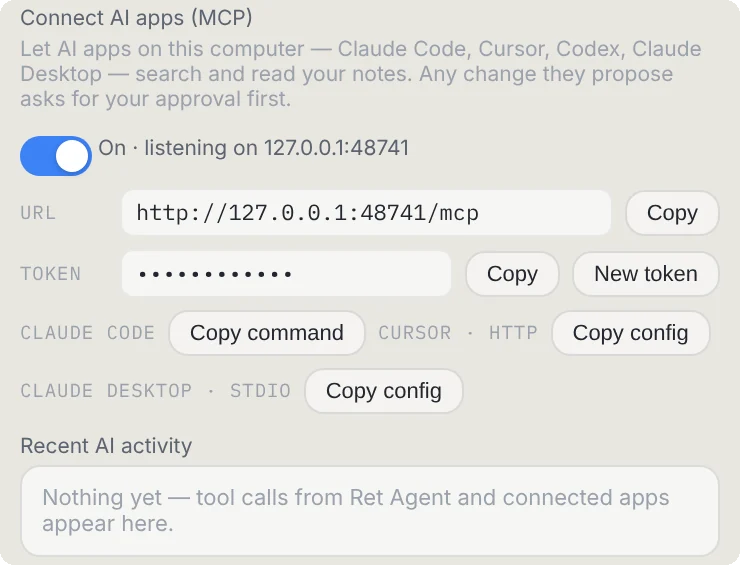
If your AI wants to add or change a note, ReticulOS asks you first, naming the app and showing the change. Every change is listed under Recent AI activity, each with an Undo. Connecting AI apps is free on every plan. The full guide covers the details.
Secrets go in the vault, not in notes
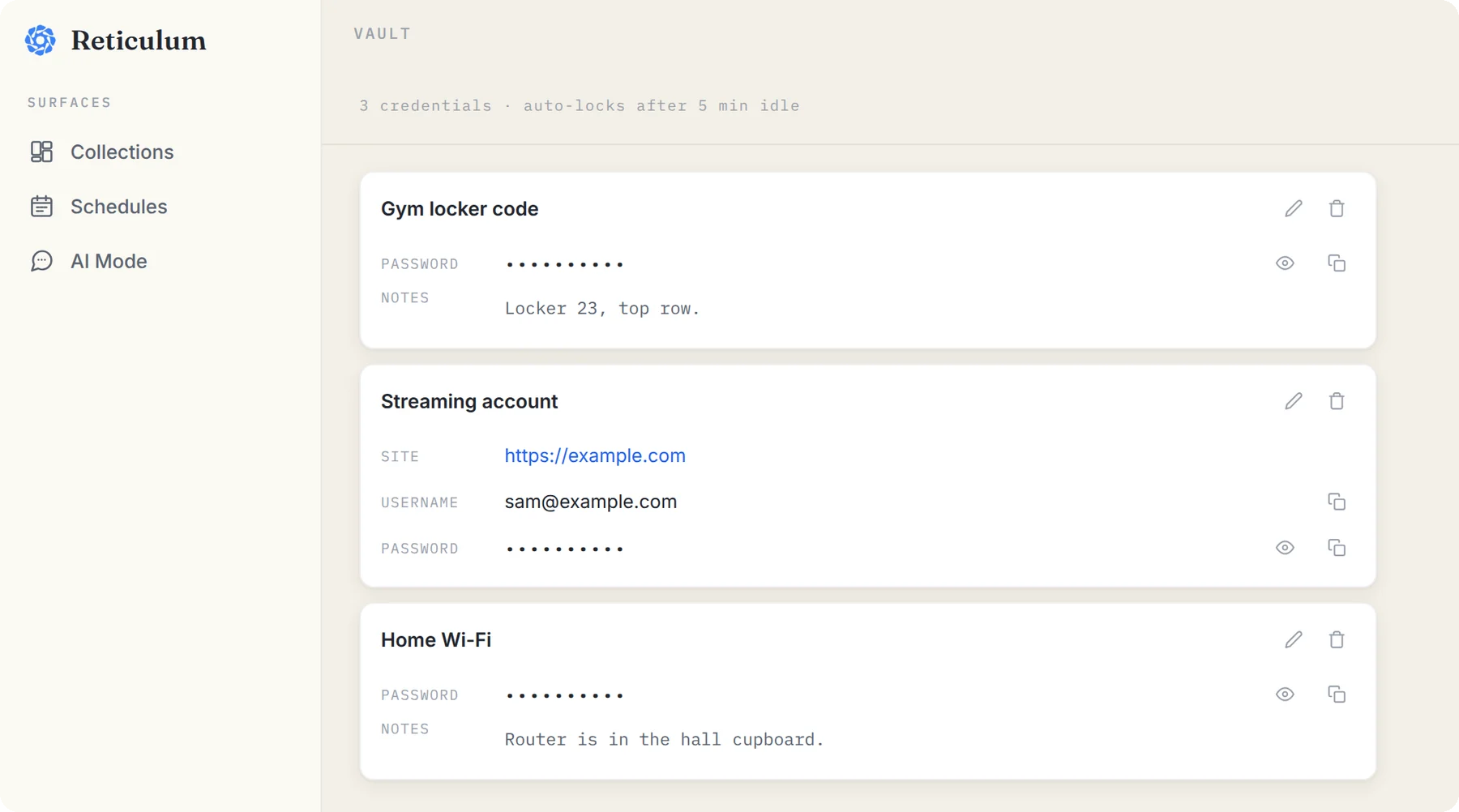
API tokens, database passwords and the root password for the staging box don't belong in ordinary notes, and they don't belong anywhere an AI can read. ReticulOS has a vault for them.
The vault encrypts each entry again, with a key made from a vault password you choose, on top of the database's own encryption. The key lives only in memory while the vault is open. It locks after five minutes idle, anything you copy from it clears from the clipboard after 45 seconds, and nothing in it is ever searched, indexed, or shown to Ret or to a connected app.
A note on Wayland
On X11, the global shortcuts work straight away. On Wayland, desktops don't let apps grab global shortcuts themselves, so they come from your desktop's keyboard shortcut settings instead. Troubleshooting walks through it.
Questions
- Can a connected AI app read my vault?
- No. The vault is stored separately, encrypted with its own key, and is never searched, indexed or shared with connected apps.
- Does it work on Wayland?
- Yes, but on Wayland the global shortcuts come from desktop keybindings rather than the app. Troubleshooting has the details.
