Where research goes missing
Research rarely fails at the reading. It fails at the remembering. You read a paper in March, a quote in it changes how you think about the whole project, and in June, when you finally write the section it belongs in, you can remember the idea but not the sentence, the paper, or the page.
The usual fixes each solve a slice of it. A reference manager knows your papers but not your thoughts about them. A notes app holds your thoughts but not the PDFs. The quotes live in whichever of those you happened to have open. Interviews are audio files in a folder with names like rec_0412.m4a.
ReticulOS is built around a different idea: keep the source attached to everything, all in one place, and make it easy to ask questions of the whole pile.
One collection per project
Make a collection for the project you're working on, and let everything for it land there: the papers, the quotes you pulled from them, the figures, interview recordings, links to search results, and your own notes and outlines.
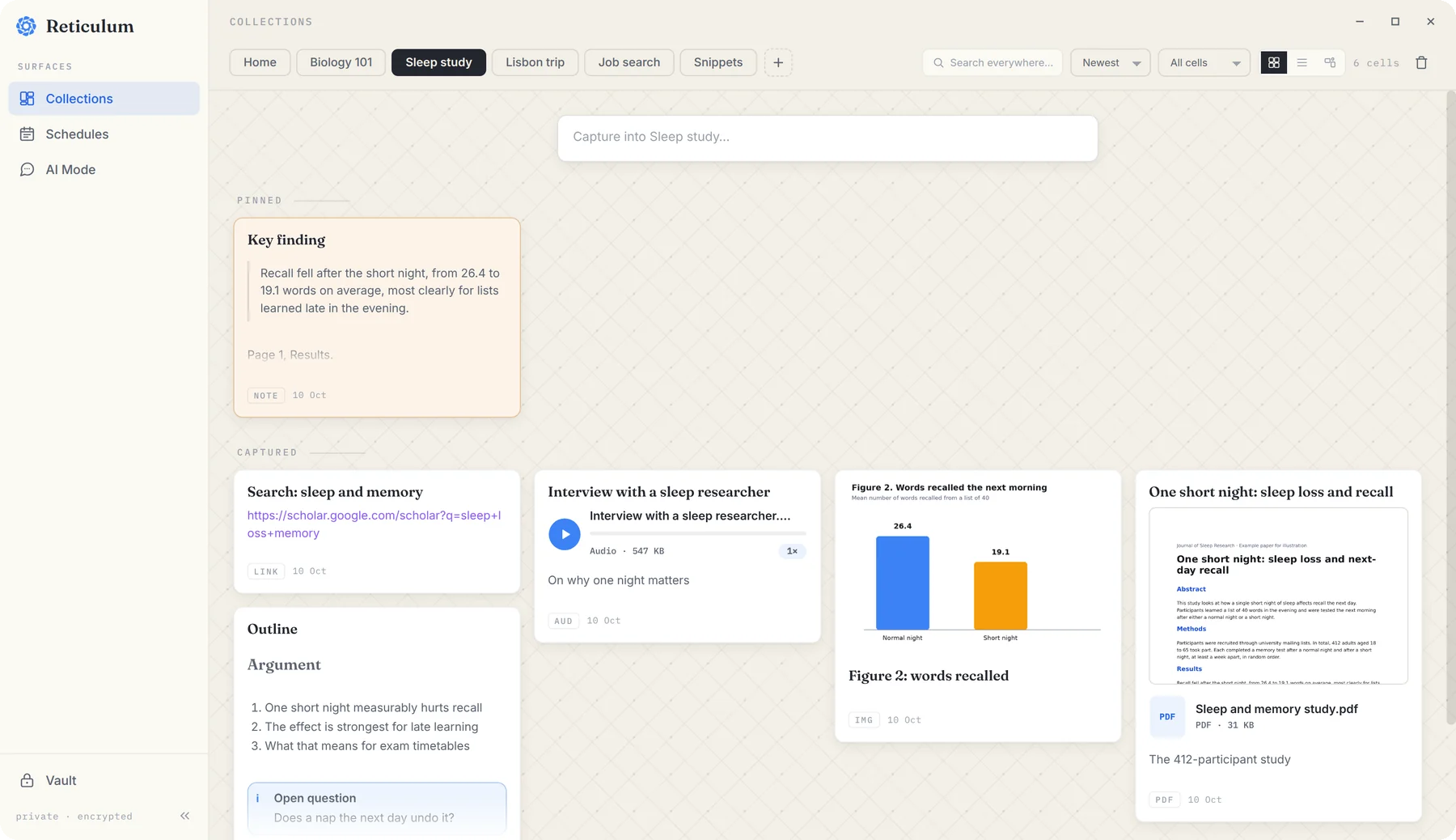
It matters less how tidy this is than that it's all in one place. A single collection means a single search and a single set of sources when you ask questions later.
Capture as you read
Most of the value comes from how little it costs to save something.
- Quotes. Select a passage in your browser or PDF reader and press CtrlShift=. It's saved into the open collection without you switching windows, and without touching your clipboard.
- Figures. Press CtrlShift4 and drag a box around a chart or table. It's saved as a picture, and pictures are understood by what's in them, so later you can find it by describing it: “the bar chart comparing the two nights”.
- Whole papers. Add the PDF from the + menu. With Pro, ReticulOS reads every page, including scanned pages and pages that are mostly charts, so answers can point you to the exact page.
- Interviews. Record them with one click (on Linux for now), or add the audio file with Add audio & video. With Pro, you can find a moment by describing what was said.
Give the important ones a title. Titles count for extra in search, and they make it obvious which note a citation is pointing to.
Think on the canvas
Lists and grids are good for finding things. They're less good for thinking. When it's time to work out an argument, switch the collection to the canvas view in Reticulum and drag your notes into the shape of it: the claim here, the evidence for it next to it, the awkward counter-example off to one side.
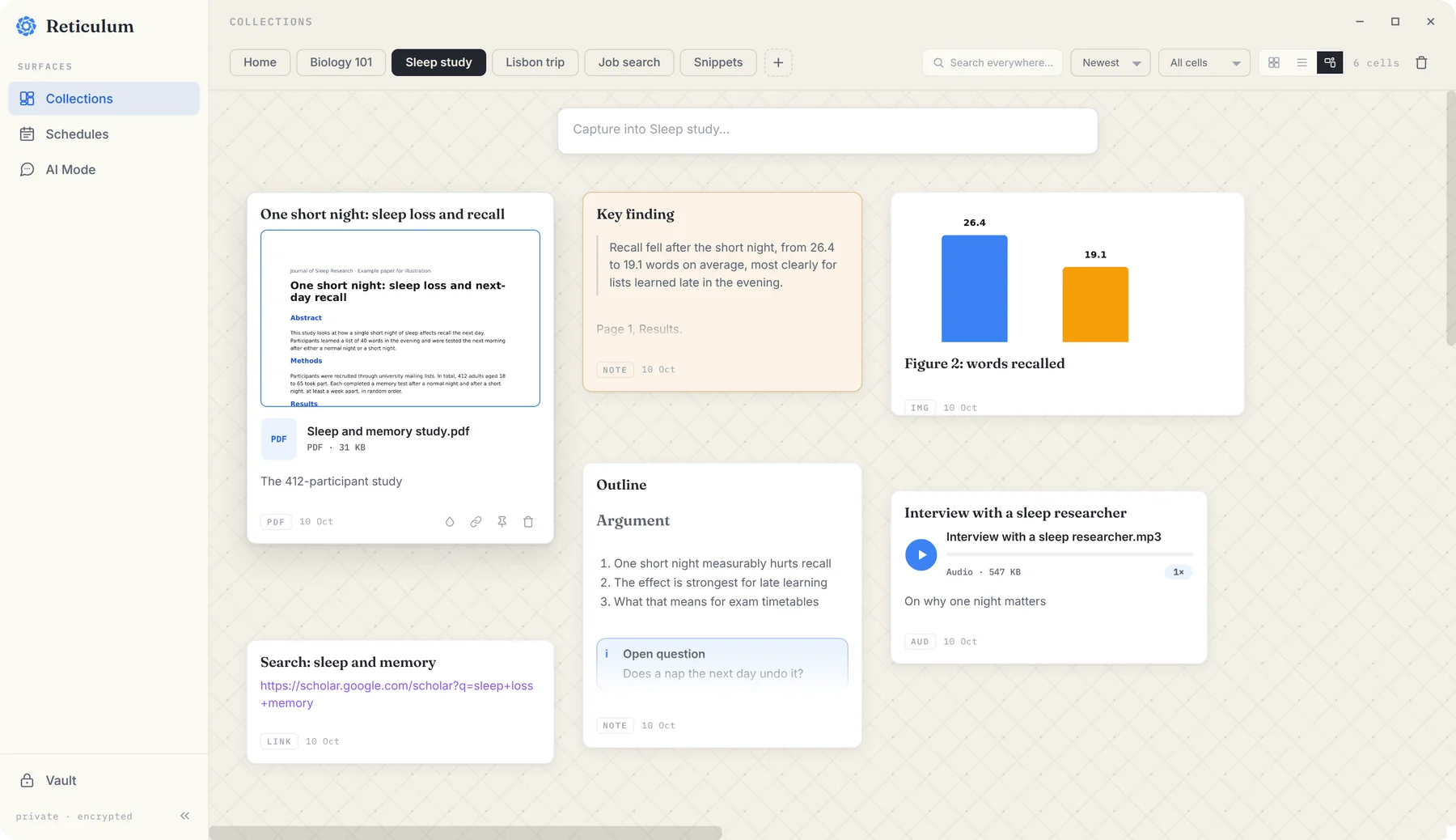
ReticulOS remembers where you put everything, so the canvas becomes a working map of the project you can come back to.
Keep a reading log in the day book
Here's a habit worth stealing from people who write a lot: one line a day about what you read, what changed your mind, and what to chase next.
The day book in Reticulum is made for this. Give each entry a tag for the project, and the tag view turns into a diary of the whole thing, newest first.
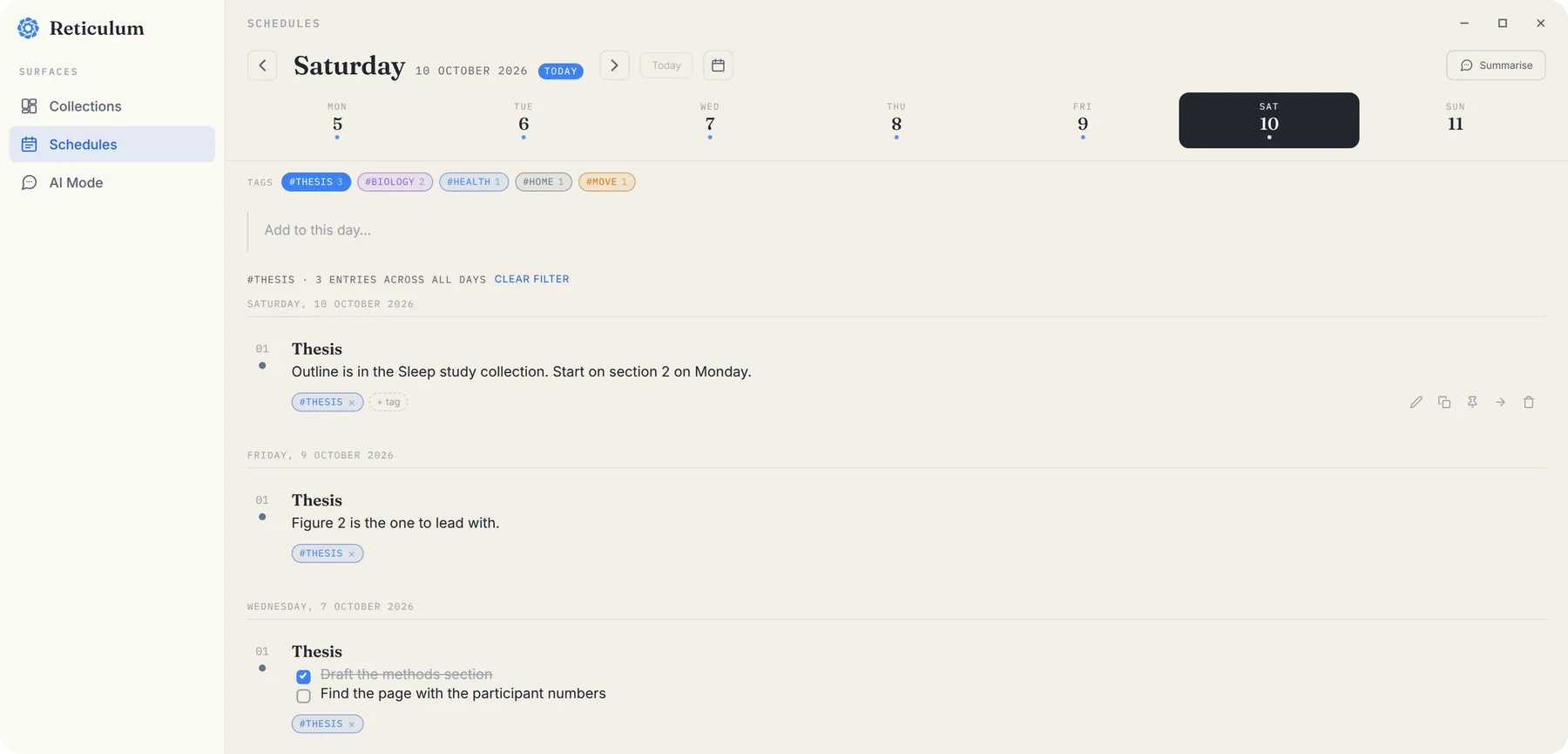
Months later, it's how you'll answer questions like “when did I first find the study with the participant numbers?”
Ask the collection, and check every source
Once a project has a few dozen sources in it, you can start asking it things. Switch the widget to Ret with CtrlShiftSpace, pick the project's collection, and ask:
- “Give me a brief of what my sources say about short sleep and recall.”
- “What's the strongest counter-argument in what I've collected?”
- “Draft an outline for a section on study design.”
Every point in the answer carries a small numbered citation. Click it and Reticulum opens on the exact note it came from, highlighted. When an answer is worth keeping, save it as a new note, with its sources listed underneath.
If you've used Google's NotebookLM, this will feel familiar. The difference is where the material comes from: NotebookLM works on sources you upload, while ReticulOS answers from everything you've saved across your computer. Here's how the two compare.
Write wherever you like
Your notes are stored as plain Markdown, and you can export them as ordinary .md files at any time, with your collections as folders, so nothing you write in ReticulOS is trapped there.
If your team plans the project in Notion, keep it there: here's how the two fit together. And if you draft in an AI tool like Claude Code or Cursor, you can connect it to ReticulOS for free. It can then search your collection while you write, read the notes it needs and tell you where it found things. Here's how to set that up.
Questions
- Can ReticulOS cite the sources it used?
- Yes. Answers carry numbered citations; click one to open the exact note it came from.
- Does it work with PDFs?
- Yes. Capture selected text from a PDF viewer, or add the whole file. With Pro, every page is read and answers point to the page.
